

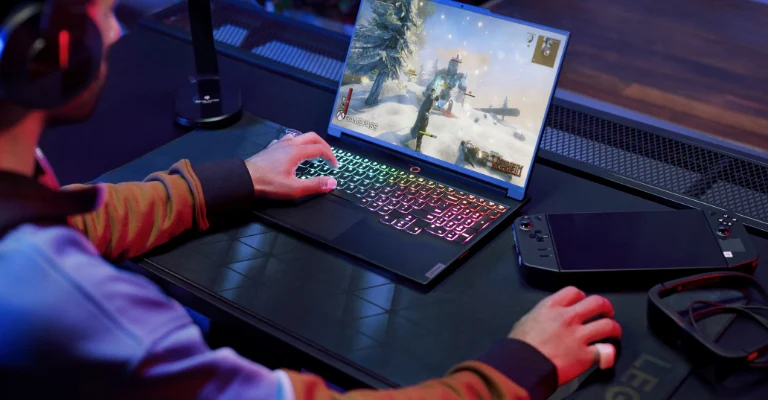
Starting your gaming journey doesn’t require an expensive or complex setup. A well-planned beginner setup focuses on comfort, performance, and practicality. The goal is to create an environment where you can enjoy gaming without overspending or overcomplicating things.
This guide covers simple and effective ideas to help you build your first gaming setup.
Choose Your Gaming Platform
The first decision is selecting the platform you’ll use.
Options:
- PC Gaming: Flexible, upgradeable, and suitable for most games
- Console Gaming: Easy to set up and more budget-friendly
- Laptop Gaming: Portable but limited in upgrades
Choose based on your budget, space, and gaming preferences.
Start with a Basic Desk Setup
A comfortable and organized desk is essential.
What You Need:
- A sturdy desk with enough space
- Proper cable management to reduce clutter
- Adequate lighting for visibility
Tips:
- Keep your setup clean and minimal
- Ensure enough legroom and comfort
A simple layout improves focus and overall experience.
Invest in a Good Monitor
Your display affects both performance and enjoyment.
Beginner Recommendations:
- Resolution: At least 1080p
- Refresh Rate: 60Hz–144Hz
- Size: 22–27 inches
A smooth display makes gameplay more enjoyable, especially in fast-paced games.
Pick the Right Input Devices
Your keyboard, mouse, or controller directly impact gameplay.
For PC:
- Keyboard: Basic mechanical or membrane
- Mouse: Comfortable with adjustable sensitivity
For Console:
- Standard controller works well
Choose comfort over flashy features when starting out.
Get Comfortable Seating
Long gaming sessions require proper support.
Look For:
- Adjustable height
- Back support
- Comfortable cushioning
You don’t need an expensive gaming chair—any ergonomic chair works.
Use Quality Audio Gear
Sound plays a big role in gaming immersion.
Options:
- Headphones: Better for focus and communication
- Speakers: Suitable for casual gaming
Headsets with a microphone are useful for multiplayer games.
Ensure Stable Internet Connection
Online gaming requires a reliable connection.
Tips:
- Use a wired connection if possible
- Choose a stable internet plan
- Avoid network congestion during gameplay
A stable connection prevents lag and improves performance.
Add Simple Aesthetic Touches
A good-looking setup can enhance your experience.
Ideas:
- LED lights or RGB strips
- Minimal desk decor
- Clean cable organization
Keep it simple—focus on functionality first, then style.
Plan for Future Upgrades
Your first setup doesn’t need to be perfect.
Upgrade Gradually:
- Better graphics card or console
- Higher refresh rate monitor
- Improved peripherals
Start small and improve as your needs grow.
Budget-Friendly Setup Tips
You don’t need to spend a lot to get started.
Save Money By:
- Buying entry-level gear
- Avoiding unnecessary accessories
- Upgrading only when needed
A practical setup is better than an expensive but unused one.
Final Thoughts
A beginner gaming setup should be simple, comfortable, and efficient. Focus on essential components first—performance and comfort matter more than aesthetics. As you gain experience, you can gradually upgrade and personalize your setup to match your style and gaming needs.
Frequently Asked Questions (FAQs)
1. How much does a beginner gaming setup cost?
It can range from low to moderate depending on your platform, but a basic setup can be built on a reasonable budget.
2. Is a gaming PC better than a console for beginners?
Both are good options. PCs offer flexibility, while consoles are simpler and more affordable.
3. Do I need RGB lighting in my setup?
No, it’s purely aesthetic and not necessary for performance.
4. What is the most important part of a gaming setup?
Performance components like the system and monitor are more important than accessories.
5. Can I upgrade my setup later?
Yes, most setups are designed to be upgraded over time.
6. Is a wired internet connection better for gaming?
Yes, it provides more stable and faster performance compared to Wi-Fi.
7. How do I keep my gaming setup organized?
Use cable management tools, keep minimal items on your desk, and clean regularly.